Many Agents, One Repo: Worktrees, Isolation, and Not Stepping on Each Other
Running several coding agents in parallel on one repository is mostly an isolation problem, and git worktrees solve only the first layer of it. Where to put worktrees and why in-repo ones break your tools, how to create and clean them up safely, how to isolate ports, databases and CI, and how many agents is too many.
 CatalEx Engineering17 min read
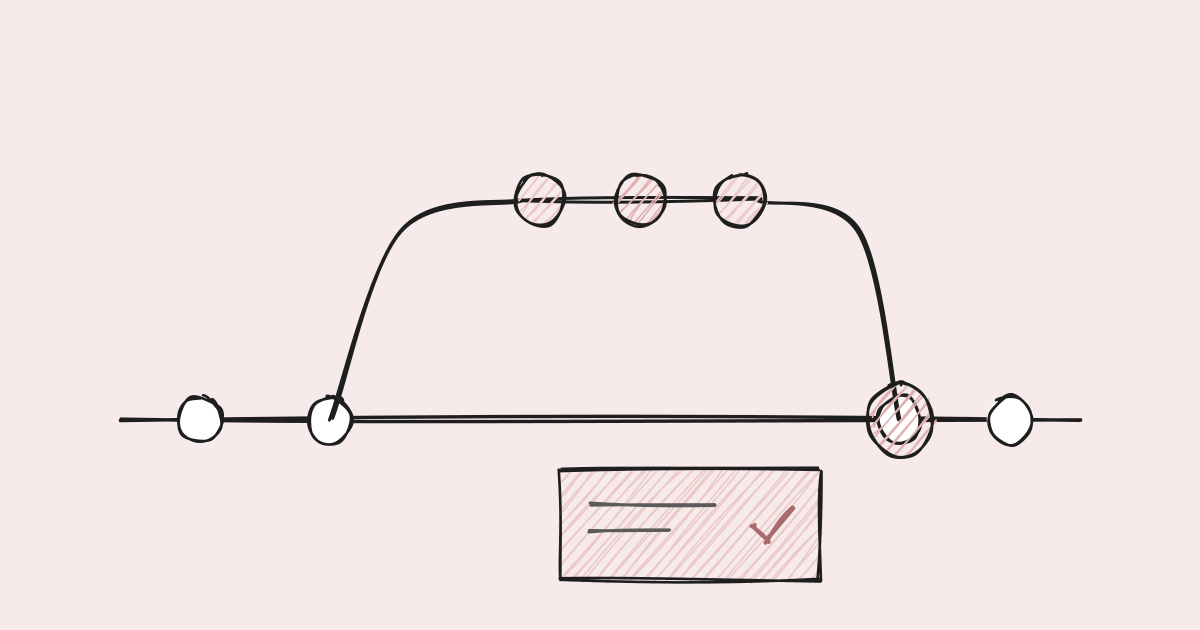
An engineer starts three coding agents on one repository before lunch: one on a bug, one on a small feature, one cleaning up tests. Each gets its own git worktree, so the files can't collide. By two o'clock the test cleanup agent reports that the suite now has twice as many tests as it did this morning, half of them failing. The feature agent's migration reset the local database the bug agent was using to reproduce its bug. And both of the other agents opened pull requests that add a migration numbered 0042.
Worktrees did their job. Nobody overwrote anyone's files. Every other kind of shared state in the setup was still shared: the test runner crawled into the other agents' checkouts, the database lived in the home directory, and migration numbers were assigned by whoever got there first.
Running agents in parallel is one of the biggest productivity gains coding
agents offer, and every major tool now supports it. Claude Code has a
--worktree flag, the Codex app
runs each chat in its own worktree,
and Cursor 2.0
runs up to eight agents in parallel on
worktrees or remote machines. This post explains what a worktree isolates,
what it does not, and the rest of the isolation you have to build yourself.
It reflects how we run parallel agents on our own repositories.
What a worktree actually isolates
A git worktree is a second working directory attached to the same
repository. It has its own checked-out files, its own index and its own
HEAD, and it shares everything else: the object database, the refs, the
config, and the remotes. Creating one is cheap because no history is copied.
Git enforces one important rule: a branch can be checked out in only one
worktree at a time (git worktree add refuses otherwise, per the
git docs). So two agents cannot
silently commit to the same branch from two places. That is the whole of
what a worktree gives you: separate files and separate branches.
Everything outside the working directory is still one shared machine.
| Resource | Isolated by a worktree? | What happens if you do nothing |
|---|---|---|
| Source files and the index | Yes | Nothing; this is what worktrees are for |
| Branches | Yes, one checkout per branch | Nothing |
Ignored local files (.env, local config) | No: they are not in git, so a new worktree doesn't have them | The agent's first run fails, or it invents a config |
| Network ports | No | Second dev server fails to bind, or worse, binds a different port and tests hit the wrong one |
| Databases and local state in the home directory | No | One agent's migration or reset breaks another's run |
| Build caches and tool caches | Usually shared, usually safe | Occasional lock contention or a corrupted cache |
| Browser profiles and automation sessions | No | Two agents driving the same browser session |
| CI runners | No | Every agent's push queues behind every other's |
| Migration numbers, lockfiles, registries | No: they collide at merge time | Two branches pass CI alone and break together |
| Your attention | No | The real limit, covered at the end |
The rest of this post works down that table.
Where to put worktrees, and why not inside the repo
The convenient place for a worktree is inside the repository. Claude Code's
built-in default is .claude/worktrees/<name> at the repository root, and the
docs suggest adding that path to .gitignore. Many hand-rolled setups use a
worktrees/ or .trees/ folder for the same reason: it is easy to find and
easy to clean.
The problem is that an in-repo worktree is a full second copy of the source tree, sitting inside the first one. Every tool that walks the directory tree recursively will find it, unless it happens to skip that path.
Which tools descend into it depends on each tool's defaults, and that
inconsistency is itself the trap. For a worktree under a dot-directory like
.claude/:
| Tool | Default behaviour | Result |
|---|---|---|
| Jest | The haste map ignores only VCS directories by default | Crawls the copy; a second package.json with the same name raises a haste module naming collision, and the copy's tests run too |
| Vitest | Default excludes are node_modules and .git, and dot paths are matched | Runs the copy's tests |
| ESLint (flat config) | Default ignores are node_modules and .git; dotfiles are no longer ignored | Lints the copy |
| Docker build | The build context is everything not in .dockerignore | COPY . . copies every worktree into the image |
| pytest | Default norecursedirs includes .* | Skips it |
Go (./...) | Skips directories starting with . or _ and nested modules | Skips it |
TypeScript (tsc) | Wildcard includes skip dot-directories | Skips it |
| ripgrep | Skips hidden directories and gitignored paths | Skips it |
Put the worktree in a non-dot folder like worktrees/ and almost every row
becomes "walks into it." Even where a tool skips it, something else will
not: Node's module resolution walks up parent directories, so a worktree
nested inside the main checkout can resolve packages from the main
checkout's node_modules instead of its own, and pass tests it would fail
on its own. Each of these has a fix (an ignore pattern here, a
.dockerignore line there), but you have to find every tool, in every
module, and keep finding them as tools are added.
The fix that covers all of them is to put worktrees outside the
repository. We use a sibling root: for a checkout at repo/, worktrees
live at repo.worktrees/<name>. Nothing that walks repo/ can reach them.
It is also exactly the layout a plain git worktree add ../repo.worktrees/x
produces, so the same worktrees work for people and for any agent, with or
without the agent's own worktree feature. The Codex app makes a similar
choice and keeps its worktrees under its own home directory, outside the
project.
Claude Code lets you change the location with a hook. A WorktreeCreate
hook replaces the default git worktree logic entirely and returns the path
it created; a paired WorktreeRemove hook handles cleanup
(worktree docs). Once the create
hook exists, Claude Code no longer copies .worktreeinclude files itself, so
the hook has to do that too.
Creating a worktree properly
A worktree is only as good as the commit it starts from. The steps our create hook takes, in order, and why each one is there:
- Validate the name. Names often mirror branch names, so
feat/alertsis fine. A name that is absolute, contains.., or starts a segment with a dot could escape the sibling root, so it is rejected. - Resolve the main checkout, not the current directory. If the session
creating the worktree is already inside one, deriving the root from the
current directory produces
repo.worktrees.worktrees/. Asking git for its common directory always finds the real root. - Fetch the default branch first, with a timeout. Branching from a stale
local
mainmeans the agent starts hours or days behind, and its first rebase is a conflict. The fetch never prompts for credentials and gives up after a few seconds, falling back to the cached ref, so a slow network cannot stall the agent. - Branch from
origin/mainwithout tracking it. A new branch created fromorigin/maintracksorigin/mainby default. Under some push settings, a baregit pushfrom that branch then targetsmainitself. Creating it with--no-trackmeans it has no upstream until its firstgit push -usets the right one. - Copy the ignored files the work needs. A
.worktreeincludefile at the repository root lists gitignored files (local env files, local config) that each new worktree should get. Copy only files that are both listed and actually ignored, refuse symlinks, and never overwrite. - Install shared tooling offline. If browser tooling or similar is needed in every worktree, install it from the local package store without network access. A missing package produces a warning, not a failed creation.
- Reuse instead of failing. If the worktree already exists, reopen it, and if it is clean with no unmerged commits, fast-forward it to the fresh base so it does not reopen at a stale tip.
Removing a worktree without losing work
Cleanup is where parallel setups cause real damage, because the obvious implementation is a recursive delete of a path that came from somewhere else. Our rules:
- Never recursively delete an arbitrary input path. Resolve the path, follow any symlinks, and refuse unless it is inside the sibling worktree root. A bug that passes the wrong path to a cleanup script should fail loudly, not delete a home directory.
- Remove with git, not with
rm.git worktree removerefuses to remove a worktree with uncommitted changes unless forced, and it updates git's own bookkeeping. A plain delete leaves stale entries behind. - Delete the branch with
-d, never-D.git branch -drefuses to delete a branch with unmerged commits (git docs). If an agent's work was never merged, the worktree goes but the branch, and the commits, survive. - Sweep only what is provably finished. Subagents can leave worktrees behind when no removal hook fires. A sweep may remove one only when it is older than a day, clean, holds no commits beyond the base, and is not locked. Everything else waits for a person.
- Prune explicitly. Our prune script lists what it would remove and only removes clean, pushed worktrees when run with an explicit apply flag.
The asymmetry is the point. A worktree left behind costs some disk. A worktree deleted with unpushed work in it costs the work.
Ports, databases and state
Files are isolated. Running processes are not. This is where most of the confusing failures in parallel setups come from, because they look like bugs in the code.
Ports
Two agents that both run npm run dev both want port 3000. The lucky case is
a bind error. The unlucky case is a dev server that quietly picks 3001 while
the agent's browser test still opens 3000 and tests the other agent's code.
- Bind to port 0 in tests, and have the test read back the port the operating system assigned. No collisions are possible.
- Derive dev ports from the worktree, for example by hashing the worktree name into a range, and print the URL on startup so the agent uses what was actually bound.
- Name container projects per worktree. Docker Compose uses the project name to namespace containers, networks and volumes; setting it from the worktree name keeps two stacks apart.
Databases and home-directory state
The subtle one. Many tools keep their configuration and local databases in the home directory: one per user, not one per checkout. Every worktree reads the same file, and so every worktree talks to the same database. That is fine for read-only work and destructive for anything that migrates, seeds or resets.
The pattern we use is a checkout-local override: a command, run inside a worktree, that creates a local config file in that checkout pointing at its own database file. Every command run in that worktree then uses it, and says so on startup ("using this checkout's local override"), so neither the agent nor a person is surprised. Worktrees without the override keep the shared per-user config. The guide tells agents when they need one: any parallel session that migrates or resets data.
Shared single resources
Some things genuinely can't be duplicated cheaply: a full local deployment, one licensed emulator, a real browser profile signed into a test account. Put those behind a lock file and let one agent hold them at a time. A second agent that wants the stack waits or works on something else, rather than corrupting the first agent's run.
| Shared thing | Isolation pattern | Cost |
|---|---|---|
| Test ports | Bind to port 0 | Tests must read back the port |
| Dev server ports | Port derived from worktree name, printed on start | Bookmarks stop working |
| Containers, networks, volumes | Compose project name per worktree | More disk, more memory |
| Local database | Checkout-local config override | One more file to create and remove |
| Home-directory config | Same override, or an environment variable pointing elsewhere | Must be documented or agents won't use it |
| Full local stack, browser sessions | Lock file, one holder at a time | Serialises those runs |
Shared CI
Every agent that pushes starts CI. Five agents pushing small fixes every few minutes can saturate a runner pool that comfortably served a team of people, and then every loop slows down at once.
- Cancel superseded runs. GitHub Actions'
concurrencysetting withcancel-in-progress: true, keyed on the branch, cancels the previous run when a new push arrives. A run on a commit nobody will merge is pure waste. - Run the heavy suites once, not per push. Let a draft pull request run only the fast tiers, and run the slow suites when it is marked ready. Agents push often while iterating; they should not pay for the full suite each time.
- Test the combination, not just each branch. Two branches can each pass
CI and still break
mainwhen merged together. A merge queue tests each pull request applied to the latest target branch plus whatever is already queued ahead of it. - Watch the queue, not the clock. If time-to-first-result for a push starts climbing, you are runner-bound, and adding agents makes every one of them slower.
Merge-time collisions
Worktrees postpone conflicts to merge time. Most textual conflicts are easy for an agent to resolve on a fresh rebase. The dangerous ones are conflicts git does not see.
Migration numbers are the classic case. Two files with different names and
the same number do not conflict textually, so git merges both happily. What
happens next depends on the migration tool: some apply them in an undefined
order, some skip one because a migration with that number already ran, and
some refuse to start. Django, for instance, detects the split and stops with
"Conflicting migrations detected; multiple leaf nodes," offering
makemigrations --merge
(Django docs).
Rails sidesteps the problem by
naming migrations with a UTC timestamp
rather than a sequence number.
What works with parallel agents:
- Timestamps or random ids instead of sequence numbers, where your tool allows it. Two agents rarely create a migration in the same second.
- A CI check for duplicates. If you must keep sequence numbers, fail any build where two migration files share a number. It is a few lines and catches the collision before merge rather than in production.
- Rebase onto fresh
mainimmediately before merging, and renumber if needed. A merge queue makes this automatic.
The same shape appears elsewhere: lockfiles regenerated by two branches, generated code, and registries where every new item appends to one list (route tables, plugin indexes, changelog files). Any file that every change appends to is a merge hot spot. Generate it, split it into one file per entry, or accept that agents will rebase often.
How many agents is too many
Throughput rises with each agent until it hits one of three limits, and it is worth knowing which one you are near.
Review is usually the first limit. Simon Willison put it plainly in his write-up of running parallel agents: the natural bottleneck is how fast he can review the results. He found parallel agents worked best for research, proofs of concept and small maintenance tasks: work that is cheap to review, or not meant to be kept. Five agents producing work faster than one person can read it is not five times the output. It is a review queue.
CI capacity is usually the second. Each agent's push loop competes for the same runners. Past a point, adding an agent makes every agent's feedback slower, and slow feedback makes agents batch changes and lose track of what broke.
Cost is the third. Anthropic reported that agents use about four times the tokens of a chat, and multi-agent systems about fifteen times. Parallel coding sessions are not the same workload, but the direction holds: each additional agent is a full context, paying for its own exploration of the codebase.
Signs you have passed the useful number:
| Signal | What it means |
|---|---|
| Pull requests wait longer for review than they took to write | Review-bound; fewer agents or cheaper-to-review tasks |
| Time from push to first CI result keeps rising | Runner-bound; cancel superseded runs or add capacity |
| More rebases than commits | Agents are working on overlapping areas; split work by module |
| Agents fix each other's breakages | Merge-time collisions; add the checks above and a merge queue |
| You can't say what each agent is doing | Attention-bound; this is the real limit |
Our rule of thumb: start with two or three, on tasks in different parts of the codebase, and add one only when the signals above are quiet. The practical ceiling is set by your review capacity and runner pool, not by the tool's maximum.
What this does not fix
Isolation prevents agents from breaking each other's runs. It does not stop them from making incompatible decisions. Two agents can each add a slightly different helper for the same job, or choose different patterns for the same problem, and both pull requests will be clean, isolated and green. Only review, or a rule that the second one would have violated, catches that.
It also does not make work parallel that isn't. Tasks that touch the same module, the same schema or the same shared file will conflict however well isolated the checkouts are. Splitting work by area is a planning problem, and no amount of tooling solves it.
What it costs
Sibling worktrees are one more directory tree to know about, outside the place everyone looks. A create hook is real code with edge cases (names, fetch timeouts, reuse), and when it breaks, nobody can start a worktree. Per-worktree databases and containers multiply disk and memory use. Locks serialise some work. And every safe-cleanup rule leaves something behind, so someone has to prune occasionally. These are the costs of running a small build farm on one machine, which is what parallel agents are.
The breakdown
- A worktree isolates files and branches, nothing else. Ports, databases, home-directory state, CI and merge-time numbering are still shared.
- Put worktrees outside the repository. In-repo worktrees are second
copies that test runners, linters and container builds walk into, and
which tools skip them varies tool by tool. A sibling root at
repo.worktrees/<name>is invisible to all of them. - Create from a freshly fetched
origin/main, with no upstream tracking, copying only the listed ignored files the work needs. - Remove with git, inside the known root only, and delete branches with
-dso unmerged work survives. Sweep only what is provably finished. - Isolate running state: port 0 in tests, per-worktree dev ports and container names, a checkout-local database override, and a lock for anything that can't be duplicated.
- Treat CI as shared capacity: cancel superseded runs, run heavy suites once per ready pull request, and test combinations with a merge queue.
- Expect collisions git can't see: migration numbers, lockfiles,
append-only registries. Use timestamps, a duplicate check, and a rebase
onto fresh
mainbefore merge. - Size the fleet to your review and runner capacity, not to the tool's maximum. Start with two or three agents on different areas.
Parallel agents multiply whatever your setup already shares. Decide what that is before they do.
Written by CatalEx Engineering. We build the AI operating layer for AI-native companies: one platform to build, deploy, and run AI agents in production. More at catalex.co.